New — Forrrge 1.1 · now on iPad

Describe an icon. Forge the real thing.

Forrrge is a native playground for Mac and iPad — rough ideas in, app icons, thumbnails, and visual directions out. Prompt, pick a style, compare what comes back, and export the one that feels right.

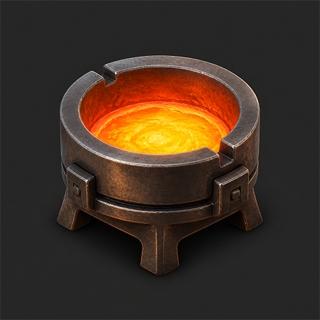
Forrrge app icon: a glowing forge crucible of molten metal in a forged-iron stand

Bring your own image-model API key. Renders bill to the provider — no subscription, no markup.

A real Mac app, not a wrapper.

Native SwiftUI, dark by design. Results save automatically. Your API keys stay in Keychain.

And now, a real iPad app.

The same SwiftUI forge, laid out for touch. One $2.99 purchase covers both.

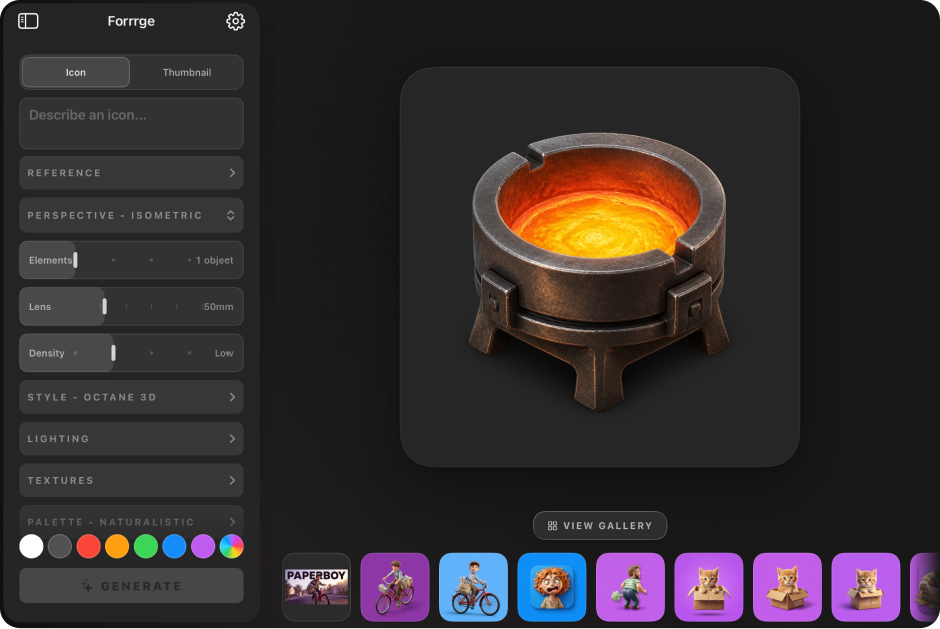
Forrrge for iPad: the same workbench — controls sidebar, lit stage, and a filmstrip of renders
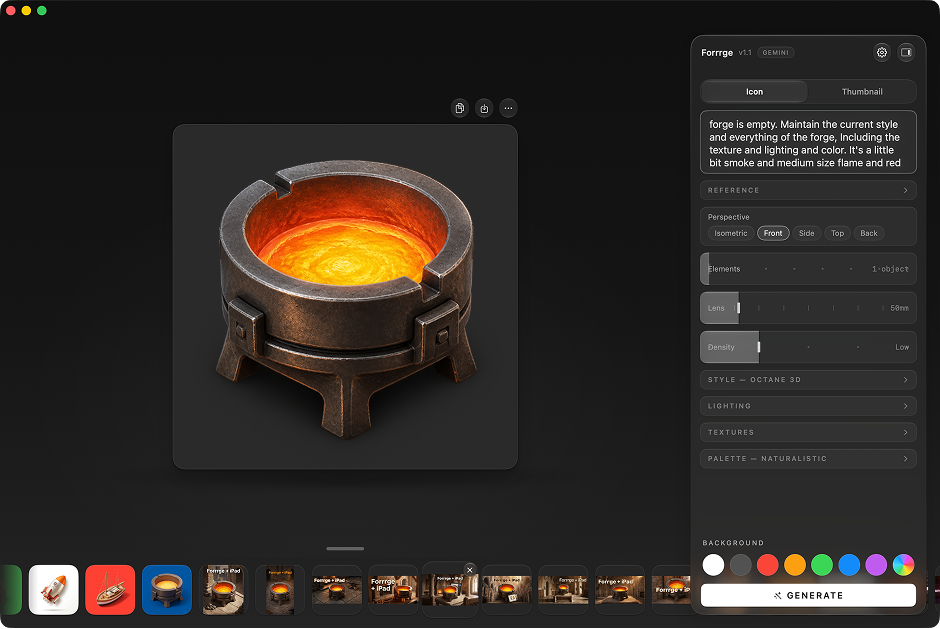
Forrrge 1.1 main window: a forged crucible icon on the dark canvas beside the controls panel
01

Describe

Start with a mascot, metaphor, object, or mood.

02

Tune

Sixteen render styles, plus lighting, lens, palette, and finish.

03

Forge

Compare directions, keep the good ones, throw away the rest.

Prompt

Style — Octane 3D
Octane Pixar Glass Low Poly Watercolor
Lighting Bright
Detail High
Finished render: a 3D vampire cowboy icon with a leather hat and red cravat

One lion. Four styles.

Same prompt. One click apart.

Forged here.

Every icon below came out of Forrrge exactly as you see it.

Seven models. Pick per render.

Gemini to Stable Diffusion, all on your own API key.

Gemini Fast iteration — takes revisions in stride. Google
Imagen 4 Photoreal detail and clean lettering. Google DeepMind
GPT Image 2 Literal prompts, complex scenes. OpenAI
FLUX.1 Schnell Built for speed — drafts in seconds. Black Forest Labs
SDXL The open-weights workhorse. Stability AI
SD 3 Medium Balanced output, sharper prompt adherence. Stability AI
Nano Banana Pro Gemini 3 Pro Image — the new top shelf. Google · New in 1.1

Everything in the box.

Sixteen styles, thumbnail presets, export shortcuts, and a gallery for everything you try. No packs, no add-ons.

Fresh out of the forge.

Version 1.1 is out — the Mac app learns thumbnails, and Forrrge comes to iPad.

New platform

Forrrge for iPad

Now available

The same forge on a bench built for touch — an iPad-native app, not a port of the Mac window.

  • Workbench layout: control sidebar, lit stage, settings at hand
  • Renders stream in as they generate, same as the Mac
  • Gallery with search, filters, and multi-select share
  • Keys in the device Keychain, renders stay on your iPad

iPadOS 17 or later, included in the same $2.99 purchase. Exports a PNG by share sheet to start — Xcode icon packs stay on the Mac for now.

Mac update

Version 1.1

Now available

The forge learns thumbnails — and picks up a seventh model.

  • Thumbnail mode: YouTube, Shorts, Feed, and Square presets
  • Four layouts, from Product Reveal to Before / After
  • Nano Banana Pro joins the Google lineup
  • Gallery search and filters, batch export, spend estimates

macOS 15 or later, same as 1.0. Already yours if you own Forrrge — update and it's there.

Full release notes →

Pricing

$2.99 + your provider's API usage

One-time. No subscription. No markup.

  • All seven models
  • Mac and iPad
  • Free updates
  • Bring your own API key

Requires your own API key — one of Google, OpenAI, or Hugging Face is enough to start. You pay that provider per render.

Get Forrrge
The keys
Seven models, three providers at most: Google, OpenAI, Hugging Face. One key is enough to start. Keys live in Keychain, and renders bill at provider rates. No middleman, no markup.
The hardware
An Apple silicon Mac on macOS 15 or later, an iPad on iPadOS 17 or later — or both. One purchase covers them.
The deal
Pay once, use forever. You pay the AI providers directly — no subscription, no markup. That's how it stays $2.99.